Data Logger
< 1 min read
Data Logger is a great feature in order to get the big picture of the data we receive from your GPS Tracker device. With this feature, you can check what and how many records your device has transmitted to our servers for the past few days or even months!
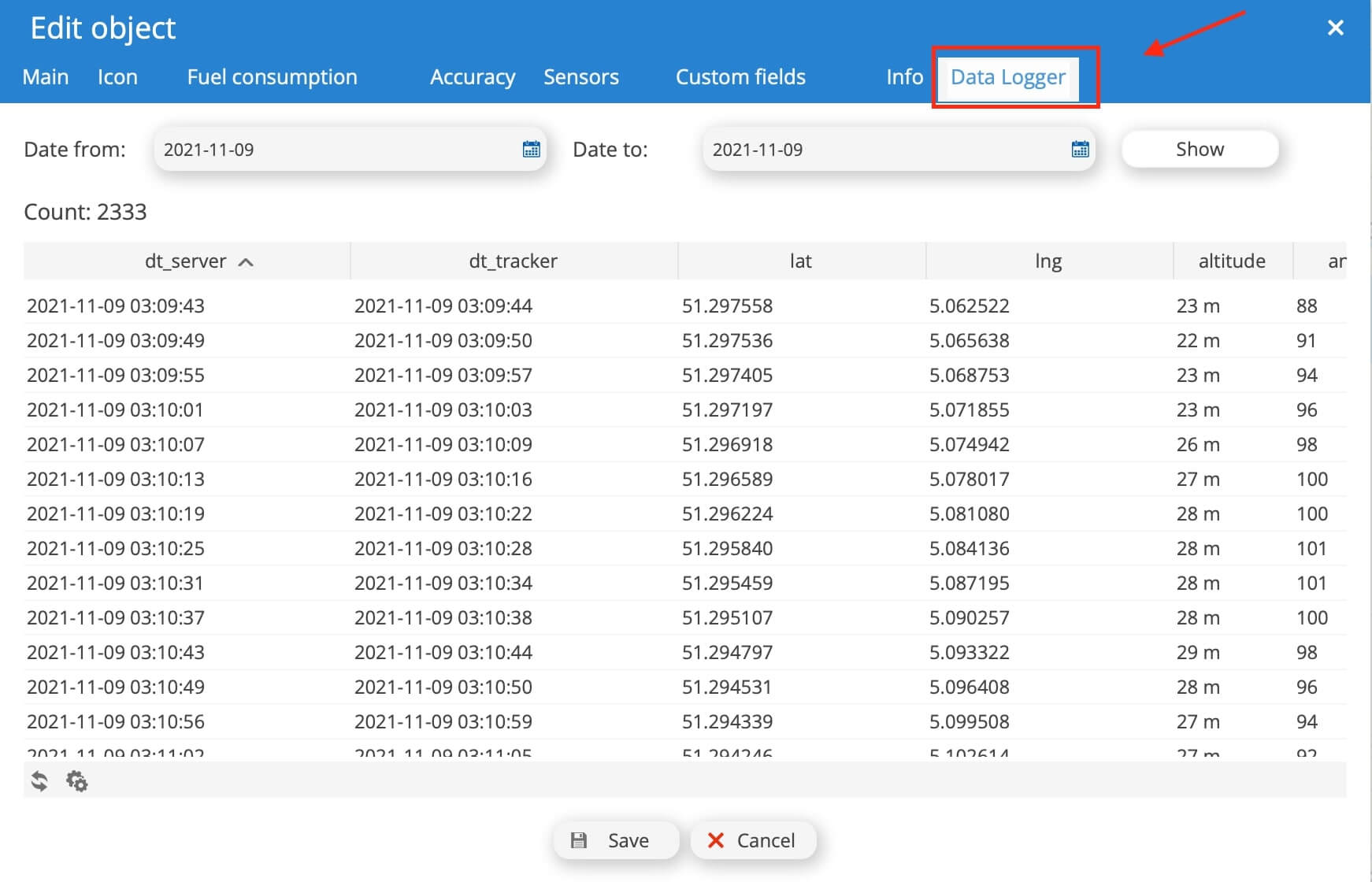
In order to make use of this task, simply open the settings of your devices (check how here), and in the new window that will appear simply click the “Data Logger” tab. Choose your desired time frame and press the Show button. Within a few seconds you will get similar results to the one that is shown in the image below!
Updated on October 6, 2024


Powered by BetterDocs