
How can i delete a GPS Tracker device?
< 1 min read
In case you want to delete a GPS Tracker device from your account in our software, simply follow the below steps:
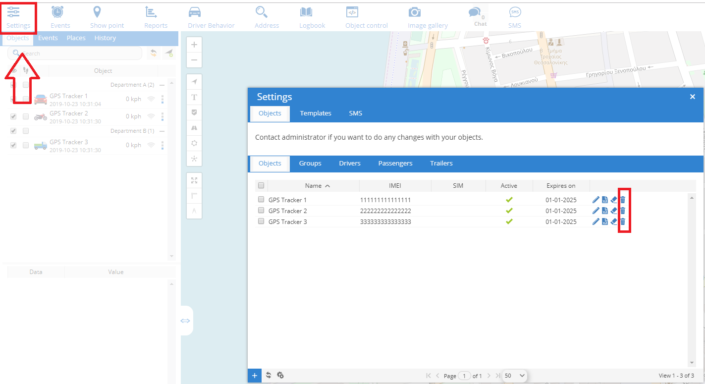
- Open the “Settings” tab of the software
- On the new window that appears, click the delete icon like it is shown in the image below.
Note: These objects will be deleted and you will no longer be able to track them.
Updated on October 6, 2024


Powered by BetterDocs