
Send GPRS commands
< 1 min read
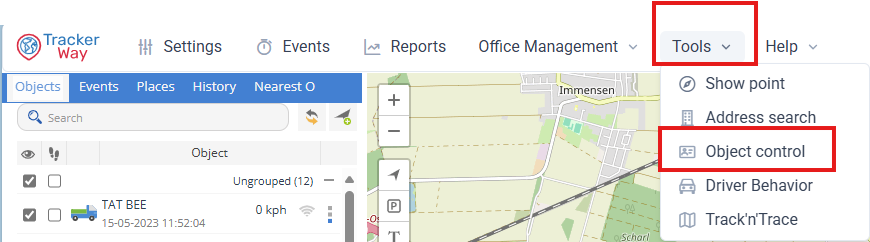
Our GPS Tracking software allows you to send GPRS commands to your GPS Tracker devices, directly through the main interface of the software. All you have to do is simply login to your account and click the “Object Control“ button highlighted with white border on the figure below:
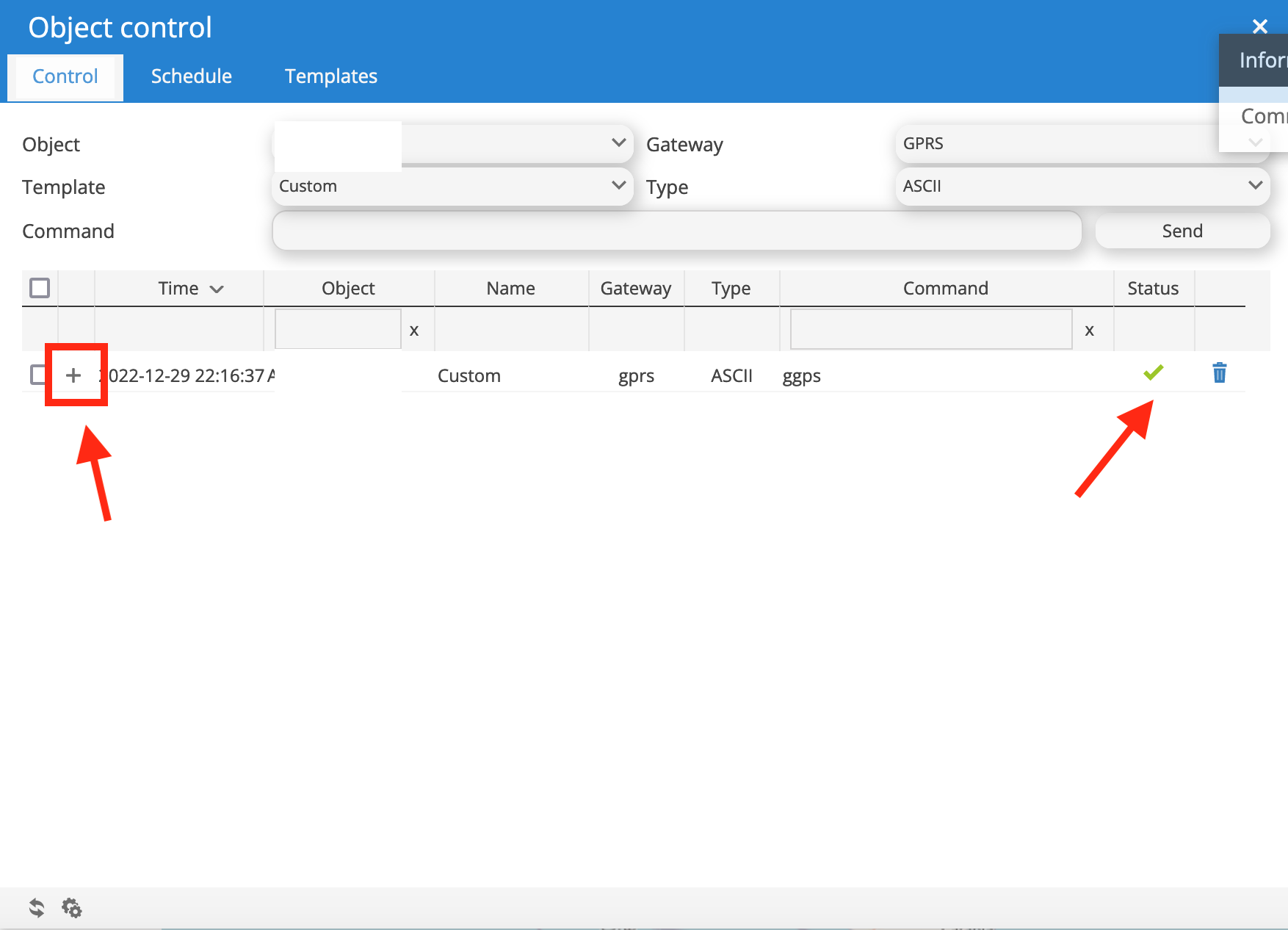
To view the response to the command you send all you have to do is press the “+” icon on the left side of the command, as it is shown in the image below.**
* In some languages the “Object Control” tab might be shown as “GPRS“.
** The green tick icon should appear first, which indicates that the command has been delivered successfully.
Updated on February 12, 2025


Powered by BetterDocs