
Show/Hide device menu on map
< 1 min read
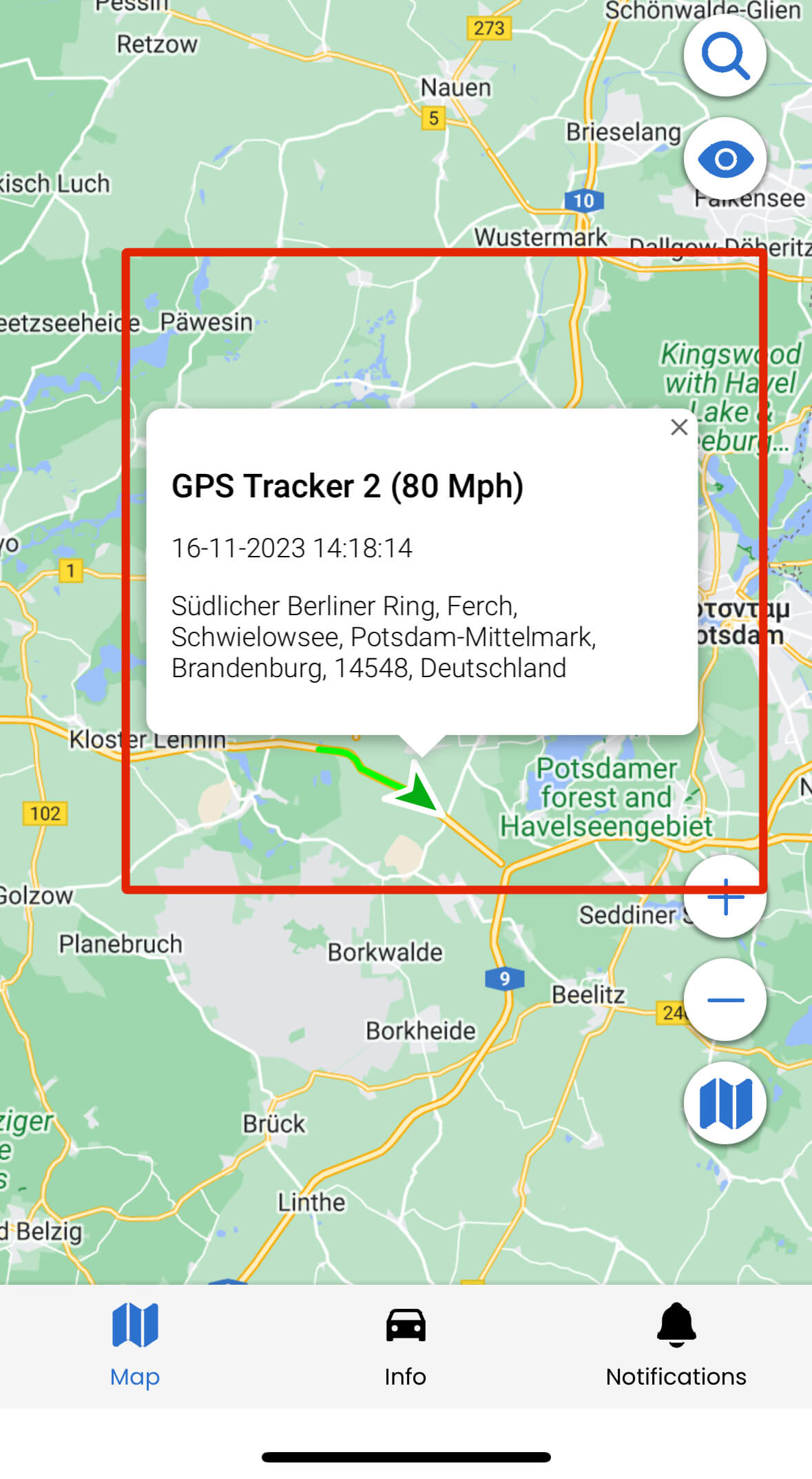
When you have many objects in a close area, the device menu that appears on the map might consume a lot of screen space (highlighted below with red square) and it is even possible to have one device menu in top of another device menu.
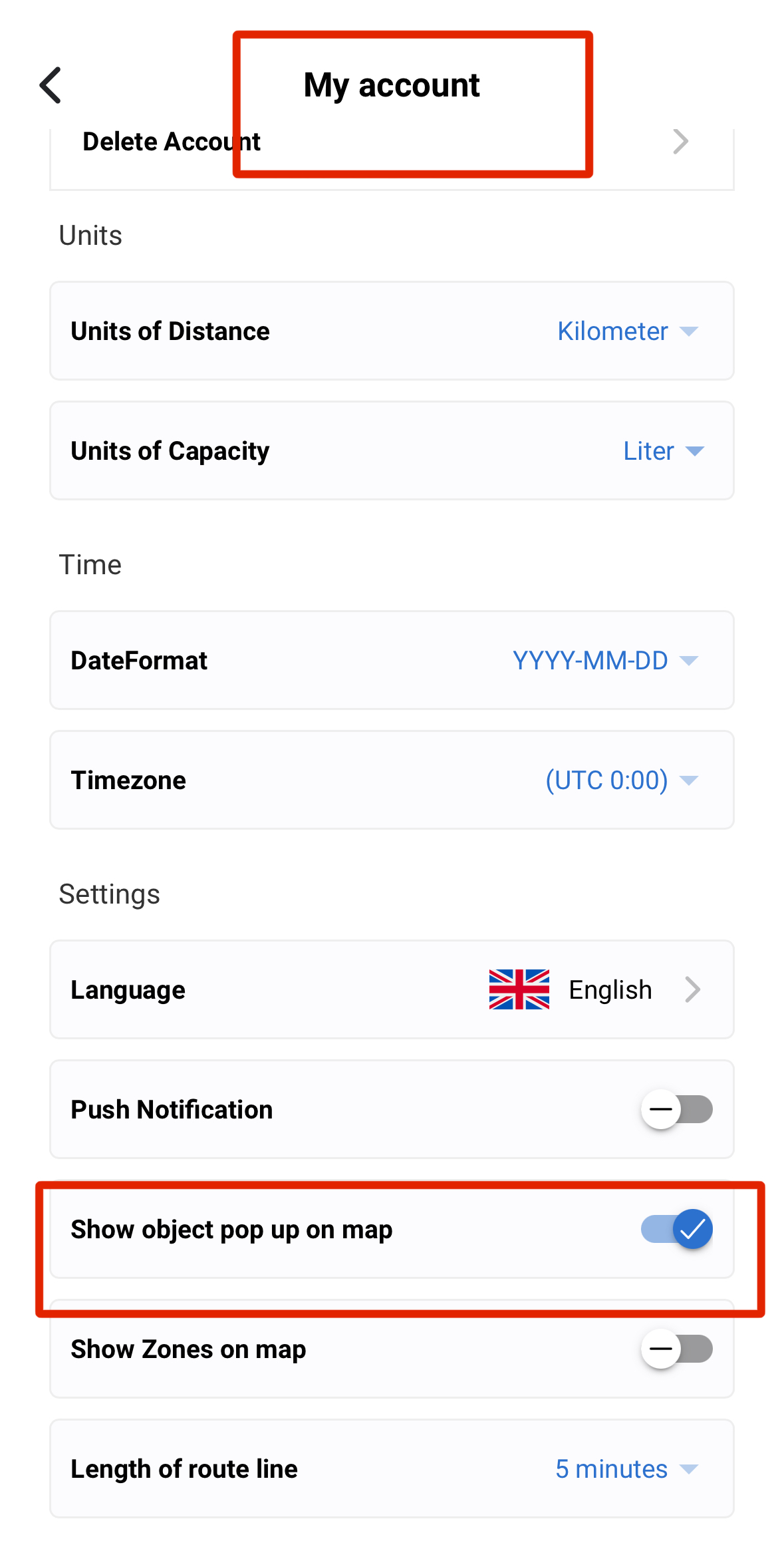
You can easily show/hide this menu by navigating to My Account menu and toggle on or off the submenu name Show object pop up on map (highlighted with red square in the image below).
Updated on October 7, 2024


Powered by BetterDocs