
How to add drivers to the system
1 min read
Our software gives you the ability to add drivers, so you can easily identify the driver for each vehicle! The initial step you have to do is to create a new sensor in your object and assign a type of driver assign value*. In order to add your drivers all you have to do is open the settings (check here how) and navigate to Objects -→ Drivers tab, as it is shown in the image below.
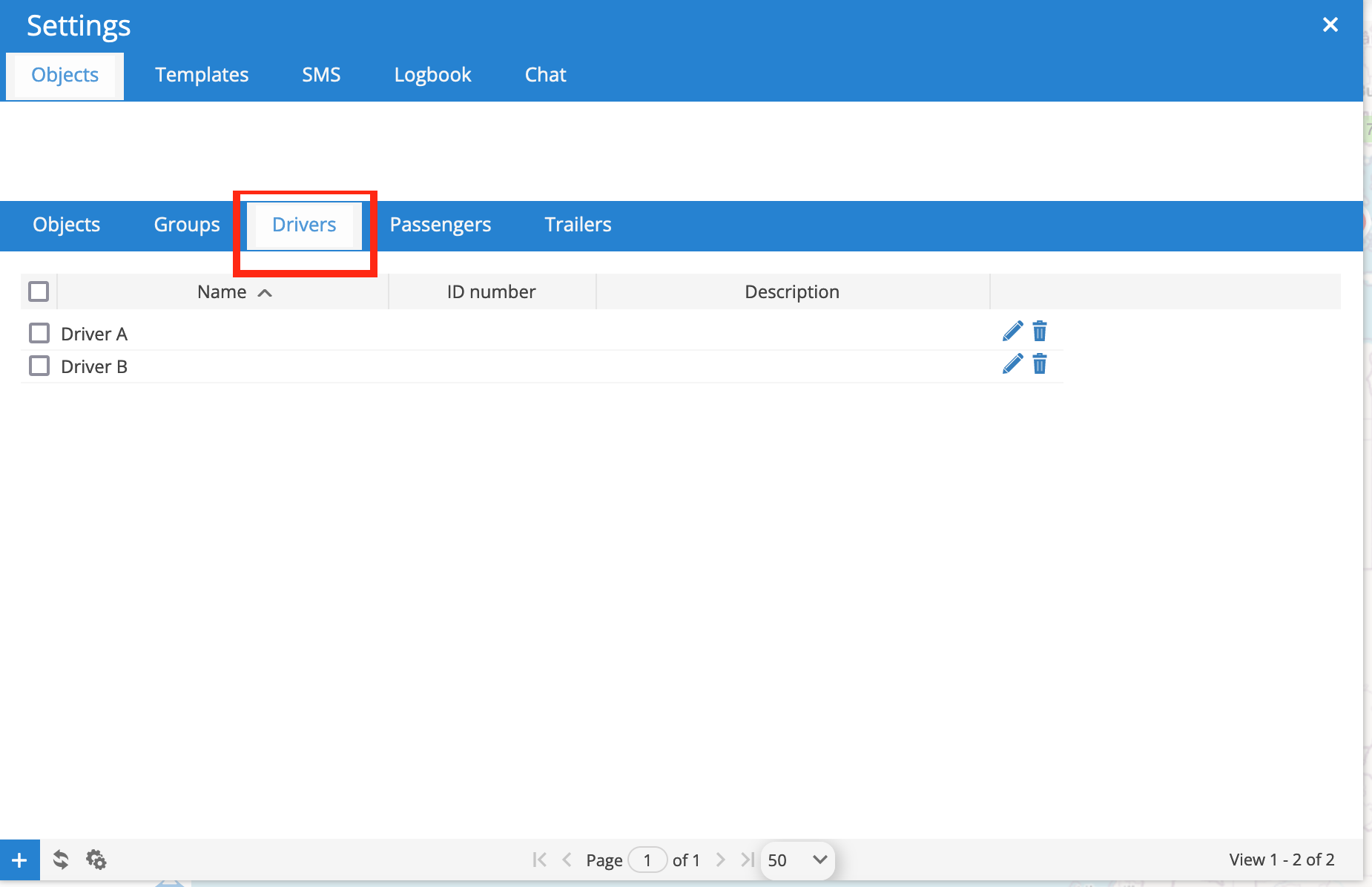
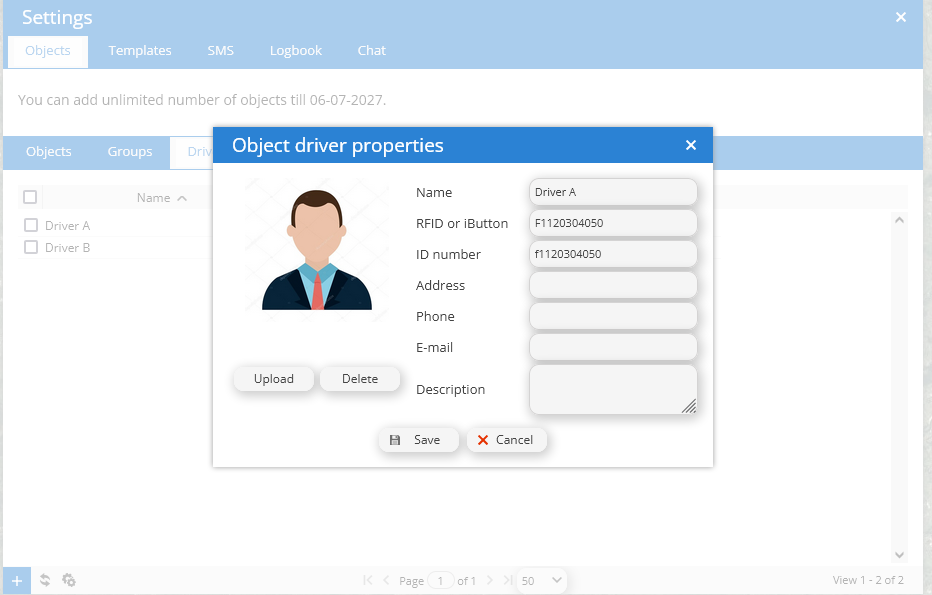
From that page at the bottom left corner, you can create new drivers by pressing the “+” sign. In the menu that appears, you have to fill up the required information and add the ID that the RFID or BLE driver identification tag provides, as it is shown in the image below:
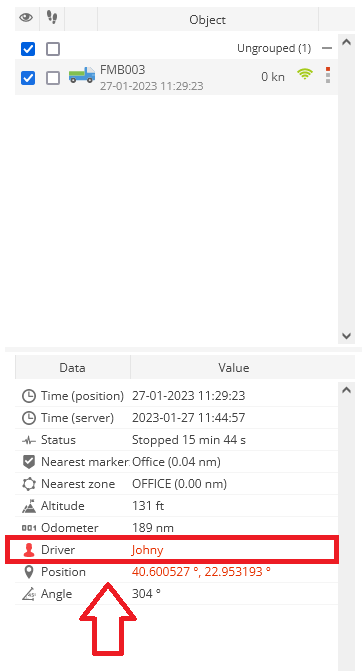
Finally, once you add the above values, the driver name will show on the homepage as it is shown below**:
* Note: Depending on the type of the driver identification sensor you use, the parameter you will get in our software depends. We suggest you to use a unique identifier as a driver identification method like the MAC address of the device (if the device is wireless). If you are going to use the Teltonika EYE beacon/Sensor the value we suggest you to use is the hostid.
** In case you are using wireless driver identification solutions, a variety of things is been calculated in order to determine which driver name it will show. In most cases we use the strength of the signal (RSSI) to choose the most appropriate value to show.


Powered by BetterDocs