
Enable – disable clusters on map
< 1 min read
Our GPS Tracking software gives you the ability to enable/disable clusters on our web app, so you can easily show or hide the group of objects you have in your account. By default the cluster is disabled, so once you log in all your objects will be shown on the map, like it is shown in the image below
.png)
If you have many objects in your account, this could lead to showing the labels with the names one on top of the other, resulting been difficult for you to read the name of the vehicle. Another problem that can occur is that the label of the objects will consume too much space on your screen.
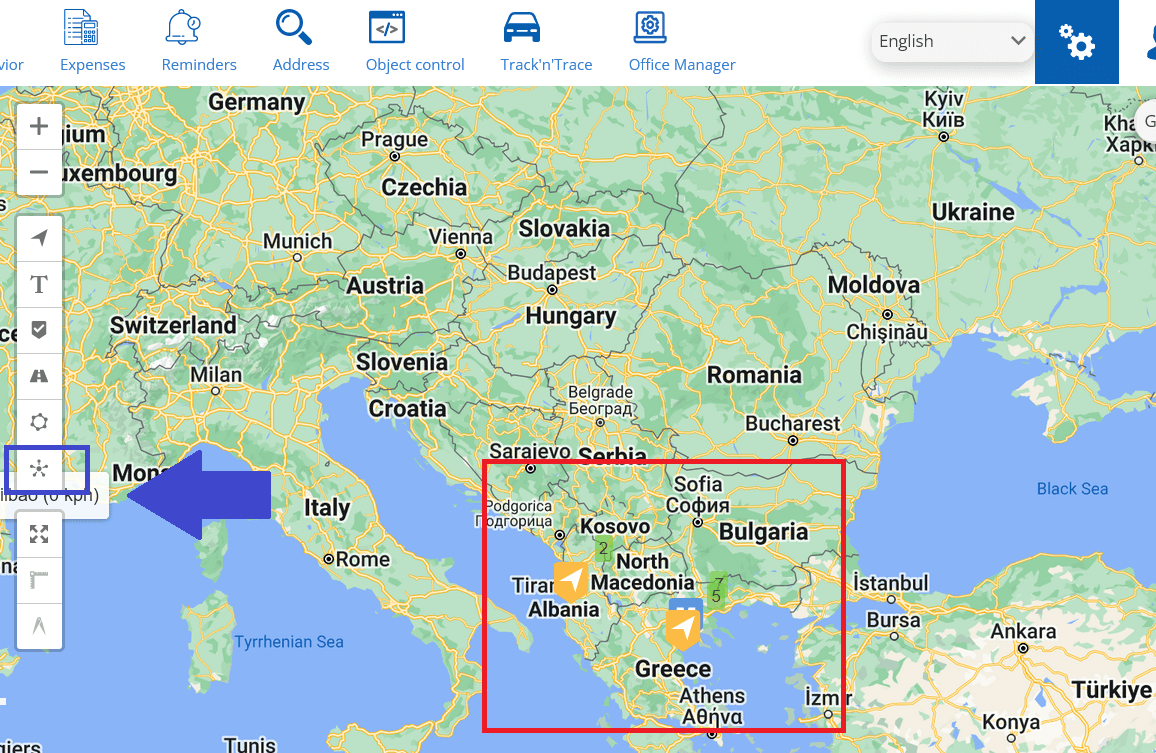
To avoid that you can enable the cluster by pressing the icon highlighted with a blue square in the image below. Once you enable the cluster service, the group of your objects will be minimized and shown as you see in the image below inside the red square.


Powered by BetterDocs